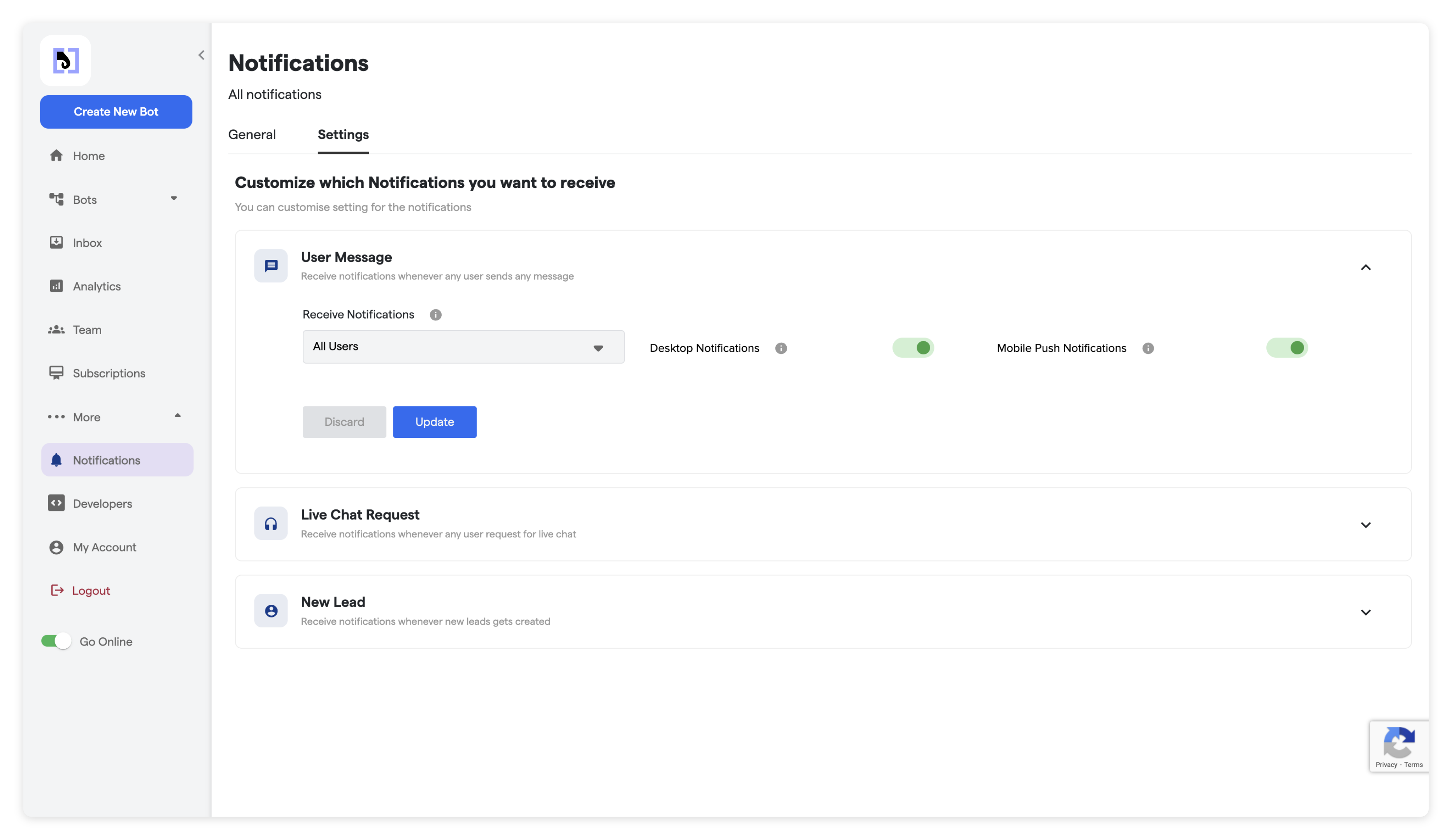
| Type | Description | Settings |
|---|---|---|
| User Message | Whenever end user send any message through eleapi | Receive Notifications - Who will receive the notifications. Only the person whom chat is assigned or all team members Desktop Notifications - Enable/disable the desktop notification while web app is opened. Mobile Push Notifications - Enable/disable the mobile push notification while mobile app is installed and opened. |
| Live Chat Request | Whenever end user requests for the live chat | Desktop Notifications - Enable/disable the desktop notification while web app is opened. Mobile Push Notifications - Enable/disable the mobile push notification while mobile app is installed and opened. |
| New Lead | Whenever any new lead has captured by Bot | Desktop Notifications - Enable/disable the desktop notification while web app is opened. Mobile Push Notifications - Enable/disable the mobile push notification while mobile app is installed and opened. |