# Alerts

#### Lead Notification Settings

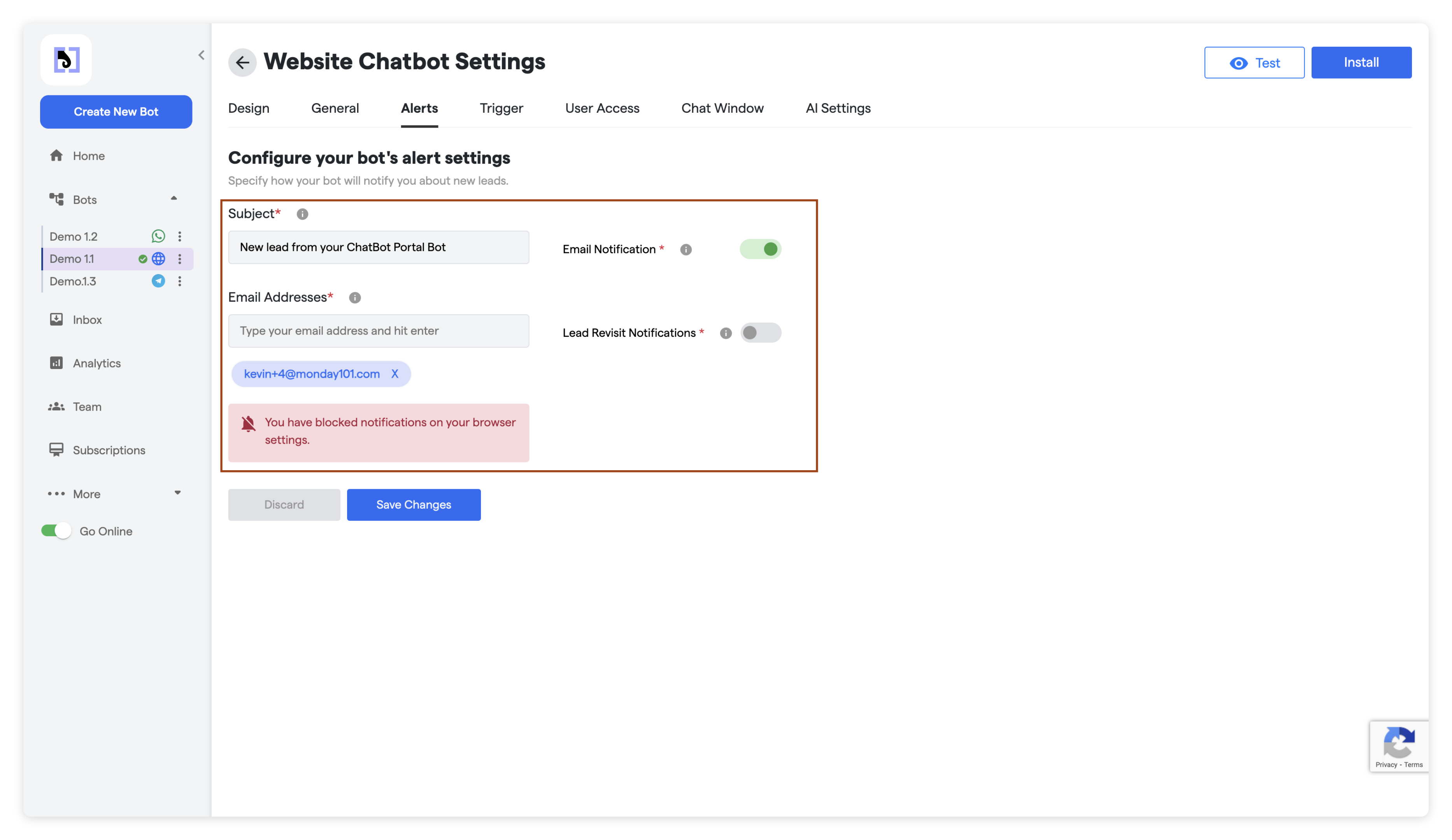
Configure the settings below to manage email notifications for new leads and lead revisits:

<figure><img src="https://4011271868-files.gitbook.io/~/files/v0/b/gitbook-x-prod.appspot.com/o/spaces%2FZn5JJsTu4fi1gbWsHaoo%2Fuploads%2Fgit-blob-24655bff3f2132ee2a0a6a7074cb8e30c615fb9a%2F1%20%E2%80%93%2056.png?alt=media" alt=""><figcaption></figcaption></figure>

<table><thead><tr><th width="253">Setting</th><th>Description</th></tr></thead><tbody><tr><td>Subject</td><td>Enter the subject line for email notifications. This will be used to alert you about new leads.</td></tr><tr><td>Email Addresses</td><td>Add email addresses where notifications will be sent. Press "Enter" after adding each email.</td></tr><tr><td>Lead Revisit Notifications</td><td>Activate this option to receive notifications when a lead revisits the bot.</td></tr></tbody></table>

#### Note

Ensure that the email addresses provided are accurate and up-to-date to receive timely notifications about new leads and lead revisits.

**Saving Changes**

Once you have configured all the settings according to your requirements, click the "Save Changes" button to apply the changes. The bot will update its setting after some time ones cache is removed.

{% hint style="info" %}
Use `Invalidate Cache` option to make changes live right away.
{% endhint %}
